Multiple Brokers, Organized in One Place
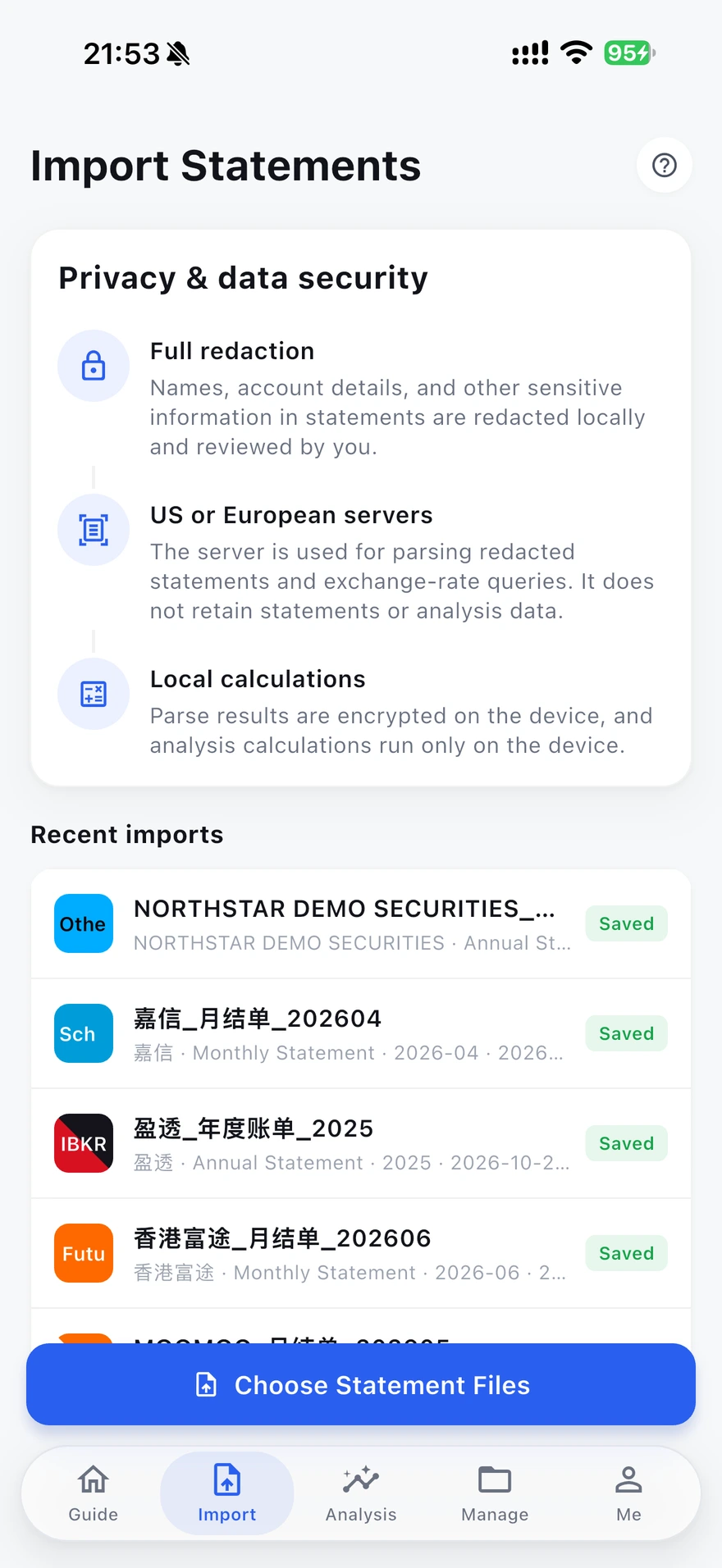
Supports PDF, CSV, XLS and XLSX files, including annual and monthly statements. Combine statement data from multiple brokers for your selected year to reduce manual work.
 OriginLeapGLOBAL原点跃迁
No need to enter trades one by one or manually organize complex brokerage records. Import your statements and use intelligent parsing to calculate annual investment income and estimate taxes in just a few steps.
Available only on App Store storefronts outside China.
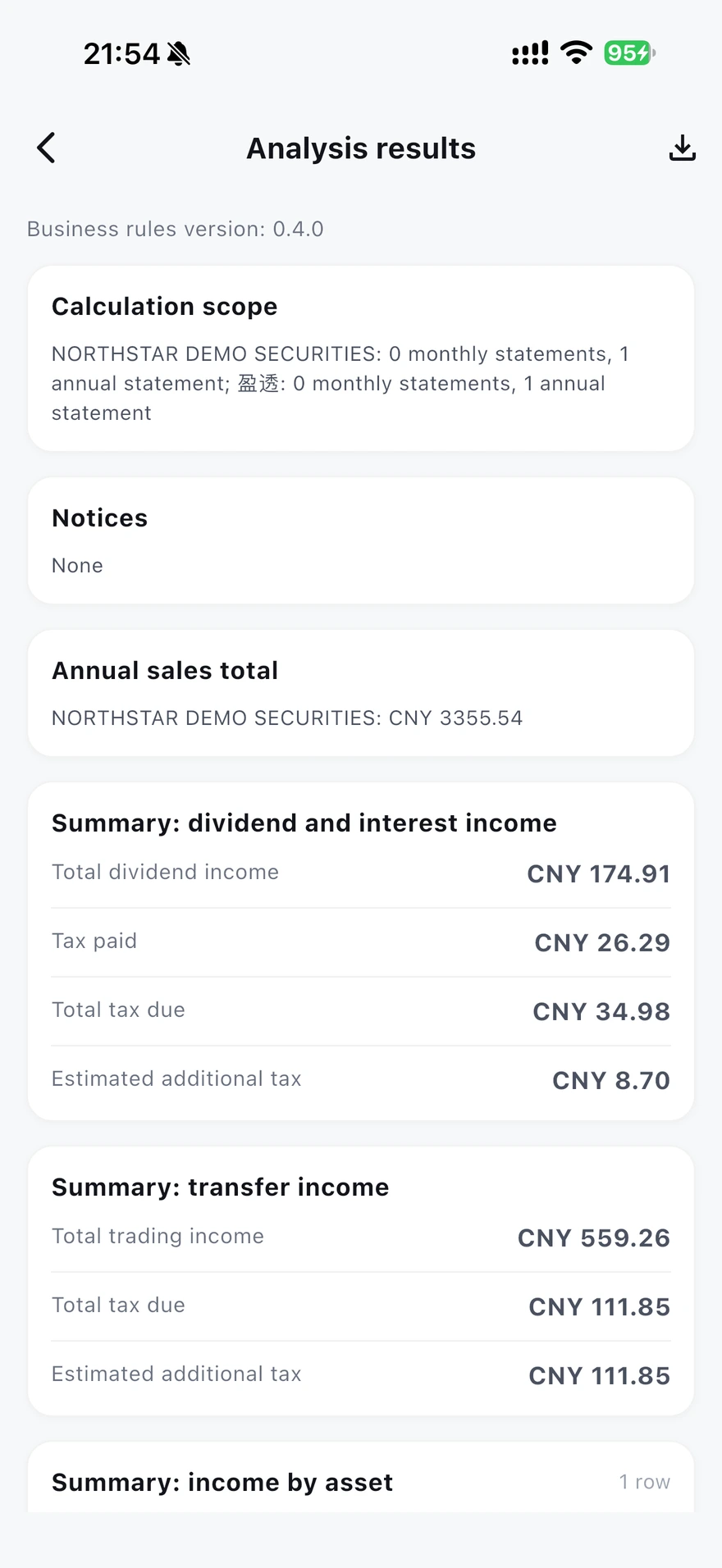
Supports PDF, CSV, XLS and XLSX files, including annual and monthly statements. Combine statement data from multiple brokers for your selected year to reduce manual work.
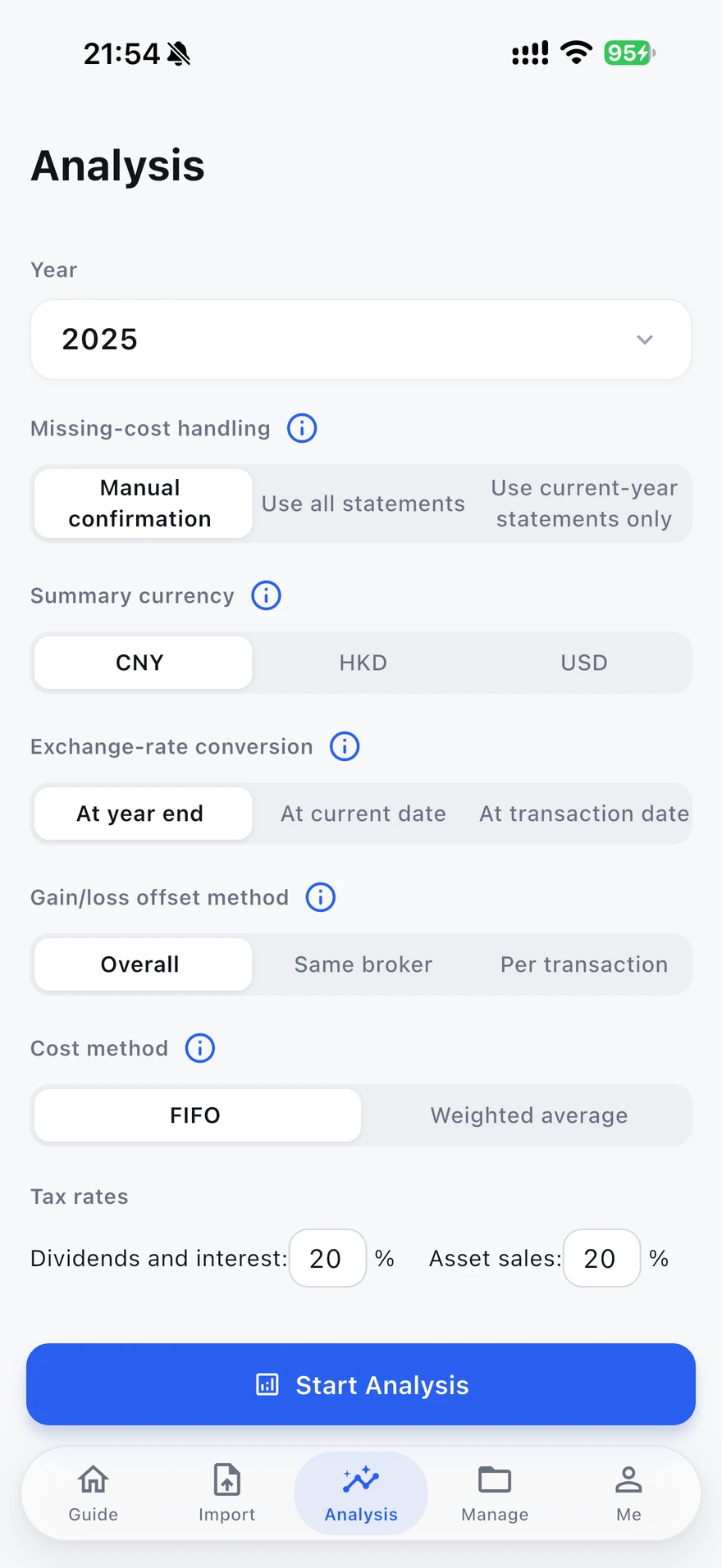
Supports first-in, first-out (FIFO) and moving weighted-average cost methods. Choose cost sources, exchange-rate options and gain/loss offset methods, then enter tax rates for indicative tax estimates. Compare how different settings affect income calculations and tax estimates.
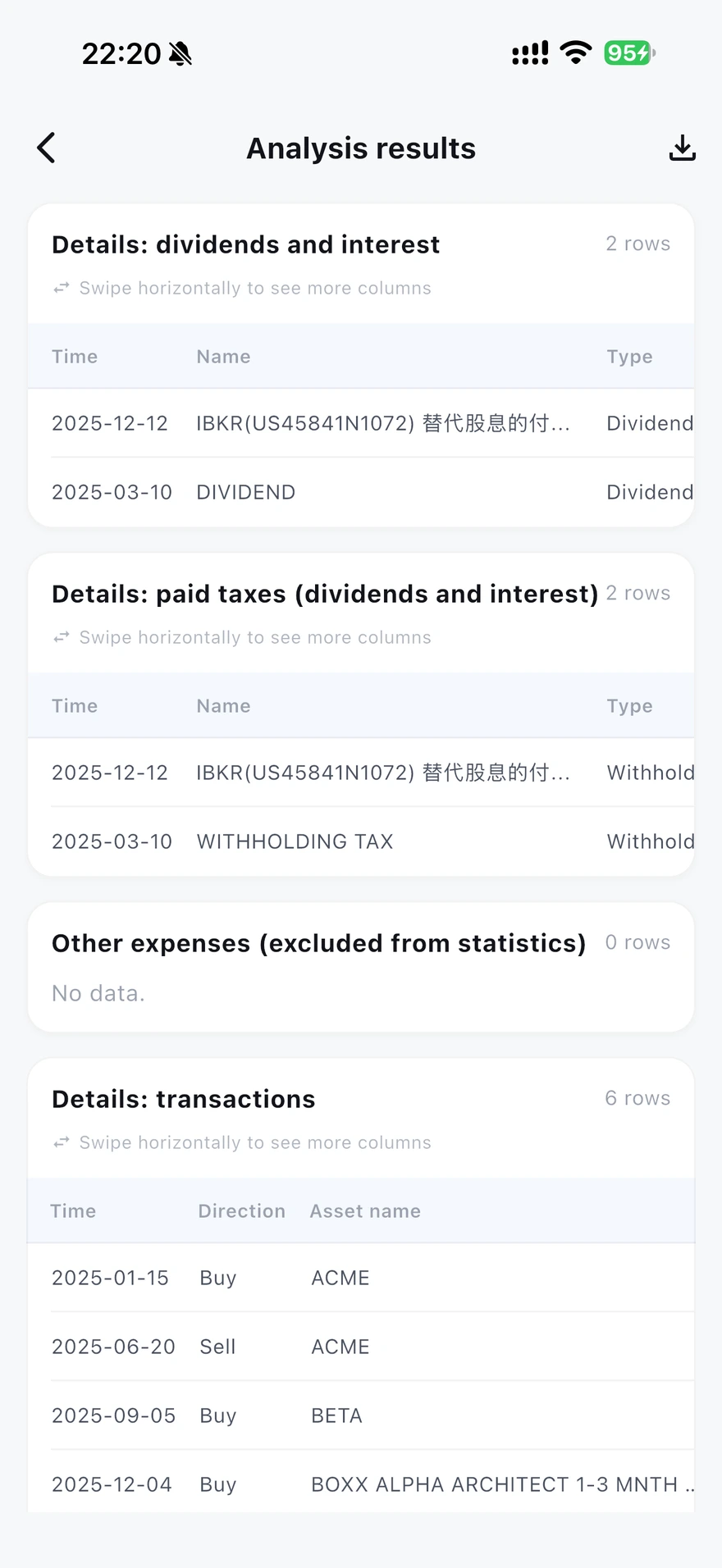
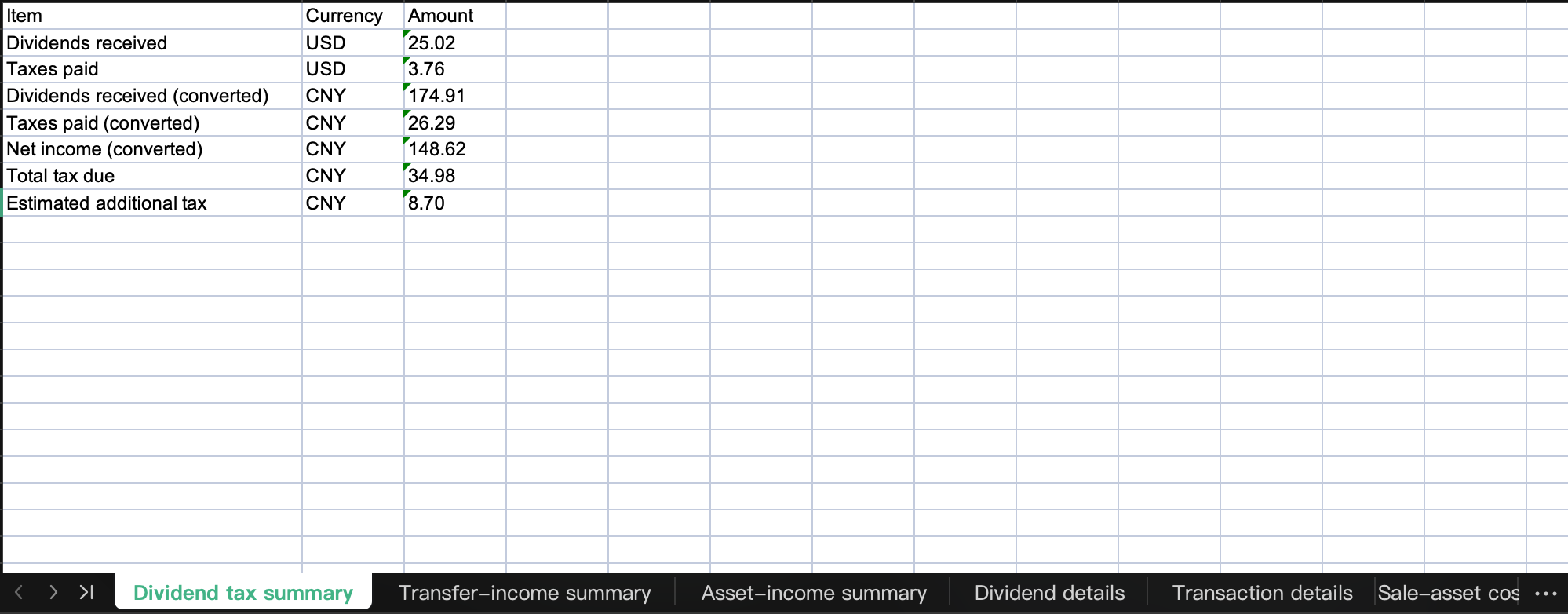
View total dividend income, taxes paid, total trading income and more, with detailed records to help you understand each result. Multi-currency summaries and currency conversion make it easier to review your annual investments in one place.
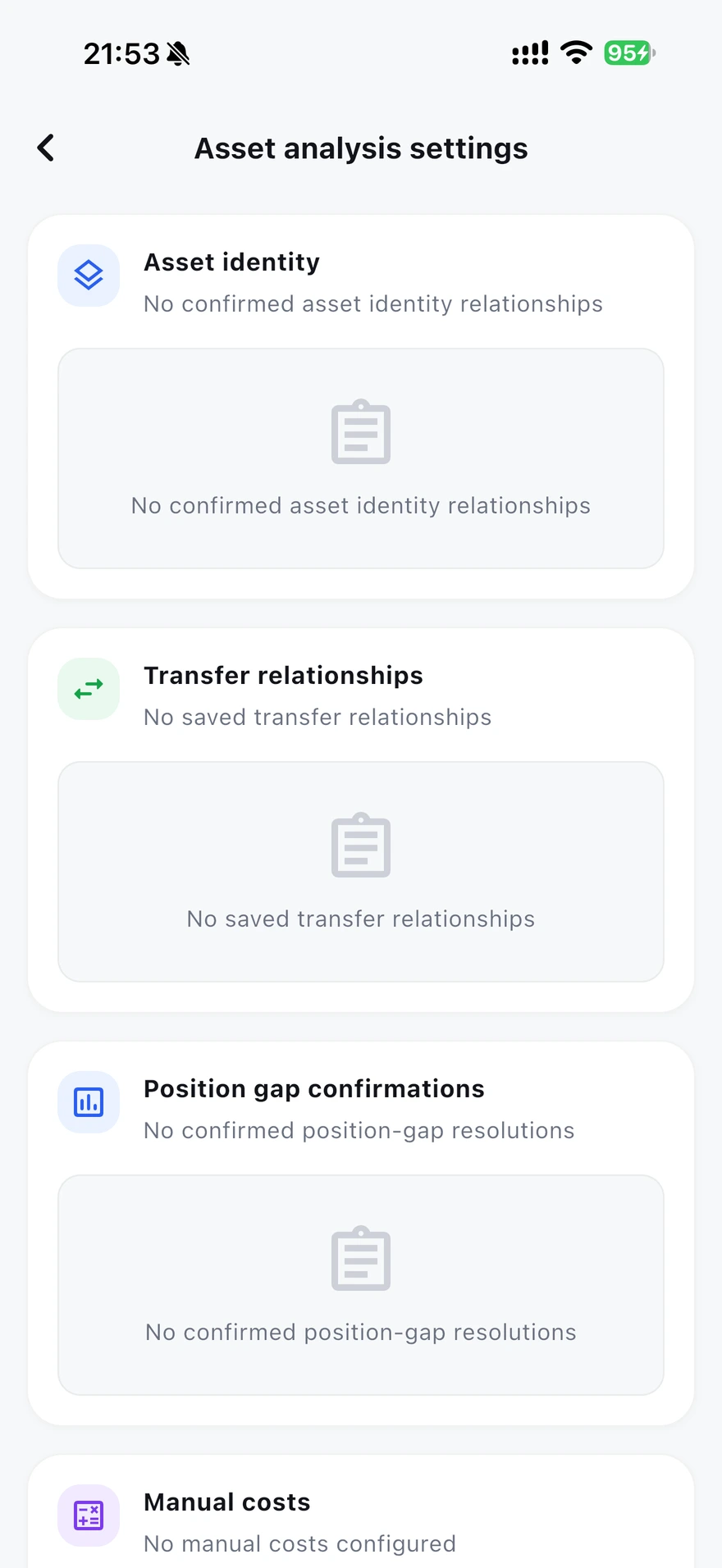
Track asset costs across years and transfers between brokers. Review and confirm asset identities, transfer relationships and position discrepancies individually. When cost information is missing, enter acquisition costs manually or use position prices as a reference under your selected rules, making the basis of your calculations clearer.
No app sign-in is required. Statement data is stored only on your phone in encrypted form, and all calculations and analysis run locally.
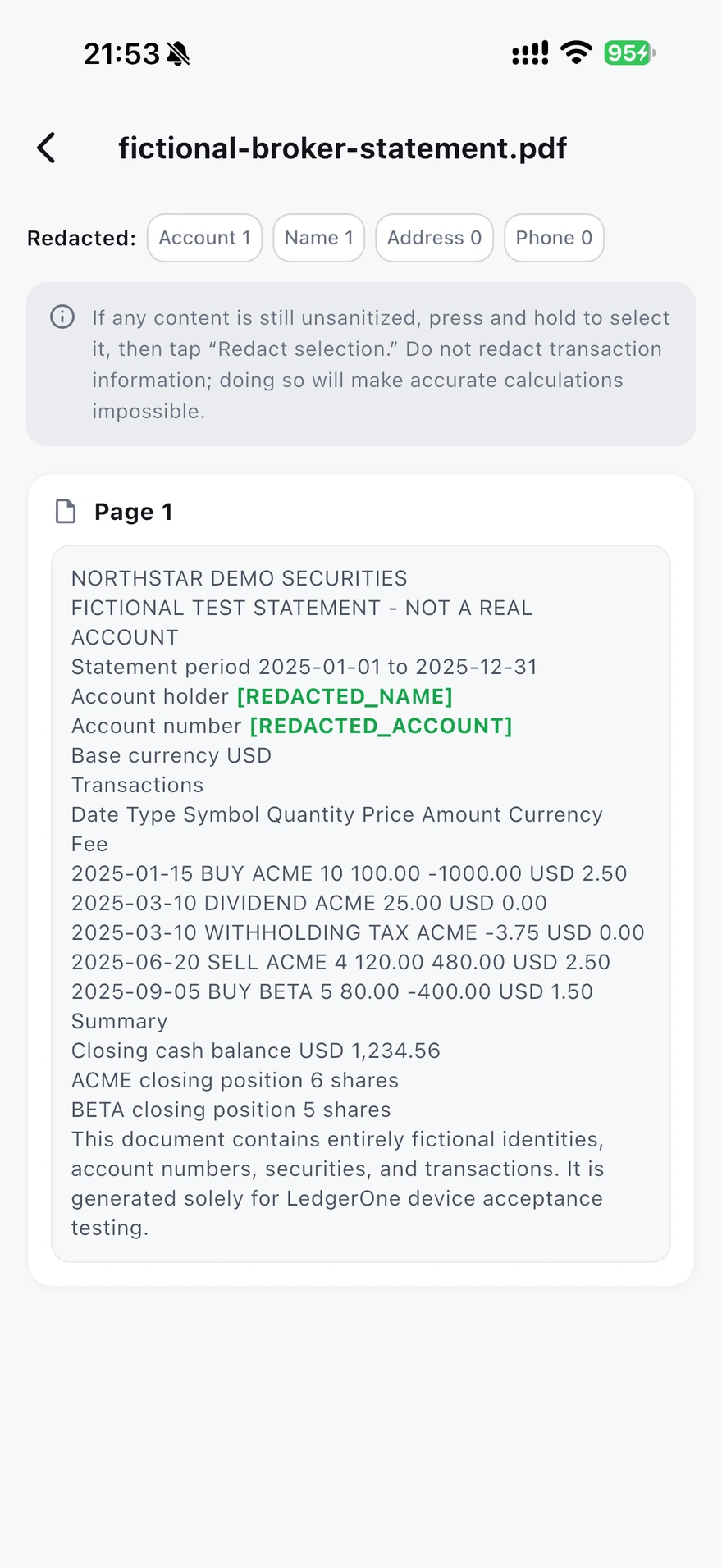
Statements are automatically redacted on your device, with previews and additional manual redaction available.
Only redacted statements are sent through servers in the United States or Europe for parsing. Results are encrypted in local storage; the server does not retain your statements or analysis data.
Export statement summaries and analysis results to Excel to check details, organize records or process them further.
Note: Parsing results may contain recognition errors. Please verify them against your original statements. Income calculations and tax estimates depend on the completeness of your statements, cost information and selected calculation methods. Results are for personal recordkeeping and reference only. They do not constitute investment, tax or legal advice and are not a substitute for formal tax filing results.
If CRS information exchange has prompted you to review overseas investment income, tax filings or additional tax, Investment Returns can help organize US, Hong Kong and other broker statements. Summarize trading income, dividends and taxes paid, then estimate additional tax under your selected calculation settings to review annual records.
CRS is a standard for the automatic exchange of financial account information to support cross-border tax oversight. Tax obligations on overseas income are determined by applicable tax law. Income calculations and tax estimates are indicative and do not replace formal tax filing results.